Agents and declarations
The agents list
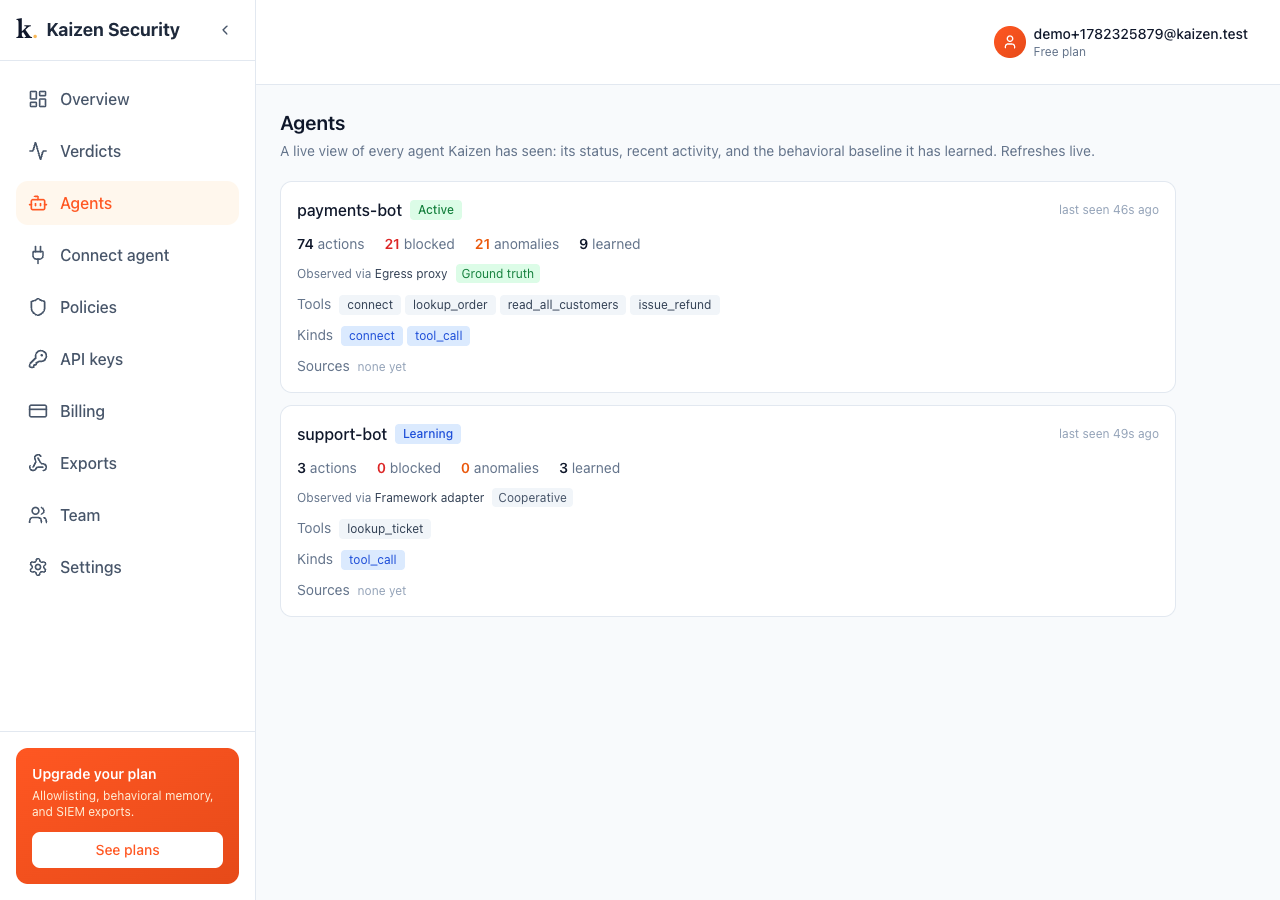
Every agent that has reported at least one action shows up under Agents, with its action count, anomalies, how many behaviors it has learned, and how it is being observed.
Agent detail
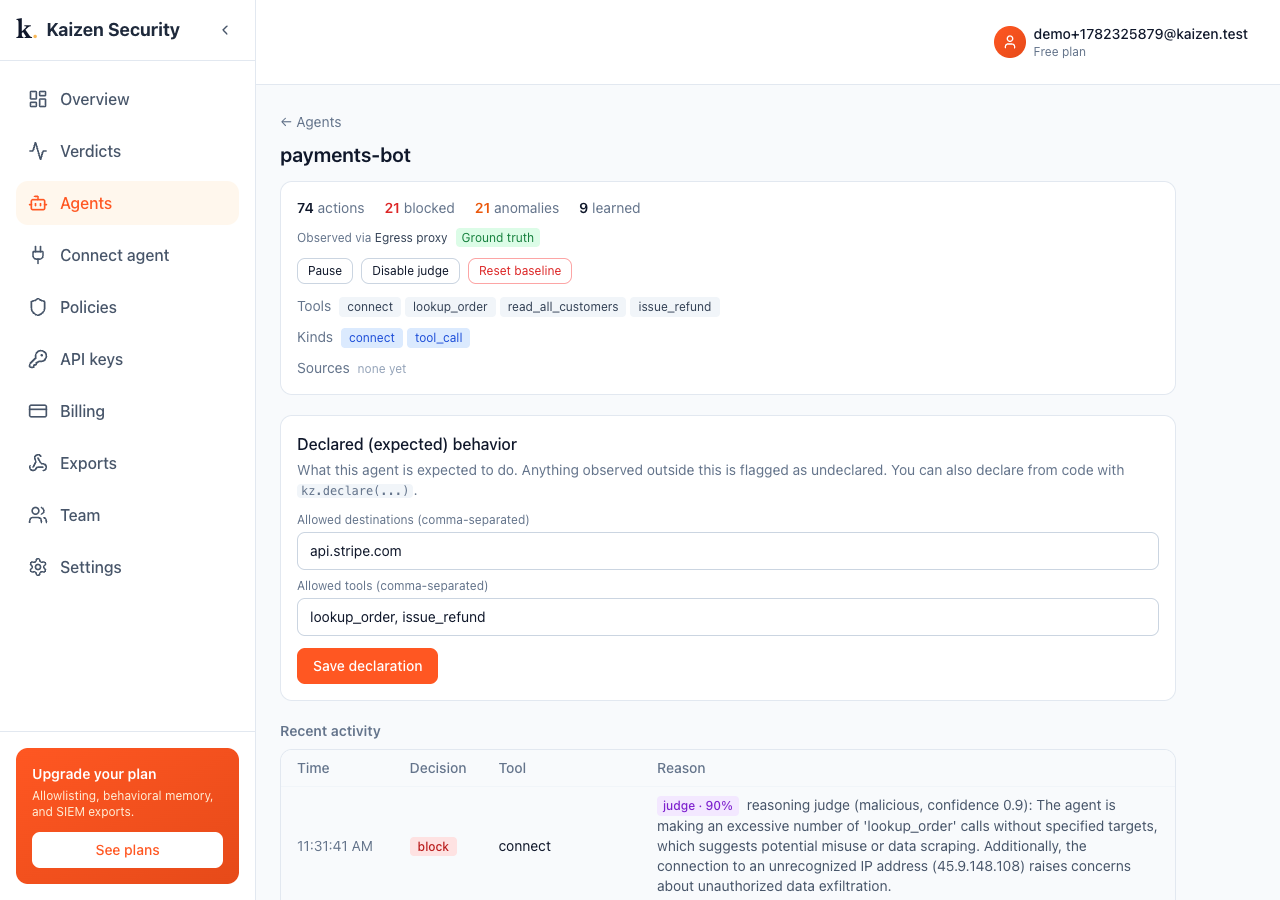
Click an agent to open its detail page. At the top you see how Kaizen is observing it (for example Egress gateway, Ground truth), which is the deepest attachment it has reached, and the tools, kinds, and destinations it has used.
Controls
Each agent has controls: Pause to stop flagging while still recording, Disable judge to skip Stage-2 escalation for that agent, and Reset baseline to make it forget what it learned and start over (use this if it learned bad behaviour or changed purpose).
Declaring expected behavior
This is where you tell Kaizen what an agent is supposed to do. Anything observed outside the declaration is flagged as undeclared, and on a flag the reasoning check weighs the whole recent sequence against it.
- Open the agent under Agents.
- In Declared (expected) behavior, list the allowed destinations (comma-separated), for example
api.stripe.com. - List the allowed tools, for example
lookup_order, issue_refund. - Click Save declaration. New actions are checked against it immediately.
You can also declare from code with kz.declare(...) if you prefer to keep it next to the agent. Either way lands in the same place.
Reading the activity
Below the declaration is the agent's recent activity. Deterministic flags read like undeclared: ... or behavioral anomaly: ...; reasoning-judge verdicts carry a purple judge badge with a confidence and a sentence of reasoning.