Microsoft Sentinel
Send Kaizen verdicts to Microsoft Sentinel, so an agent that starts acting outside its purpose surfaces in the same SIEM your team already runs. Verdicts arrive in a custom KaizenVerdict_CL table in your Log Analytics workspace.
Configure
In the console, open Exports, add an export, and choose Microsoft Sentinel:
- Workspace ID: the Log Analytics workspace ID (in the Azure portal under the workspace, Settings, Agents).
- Primary shared key: the workspace primary key from the same page.
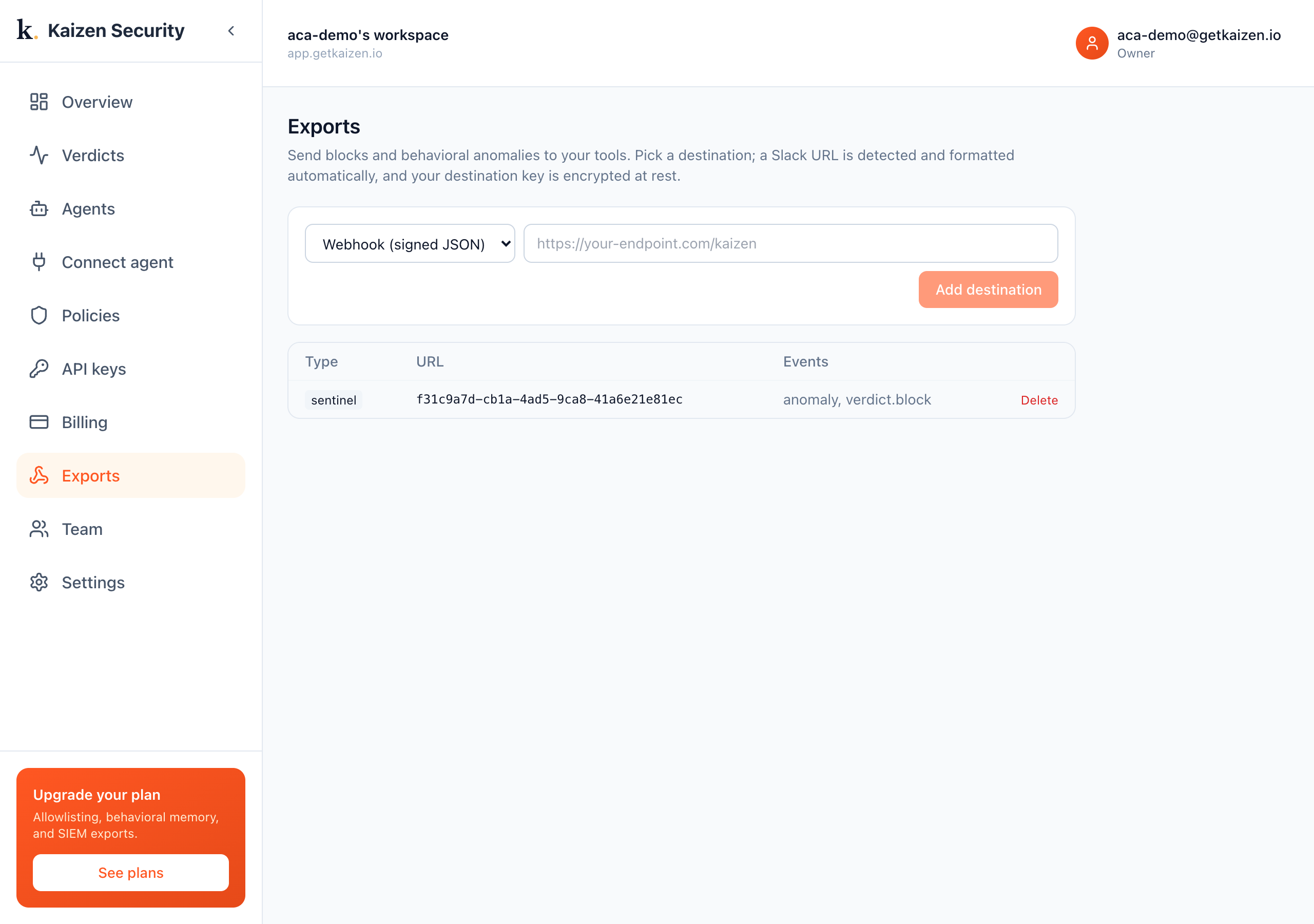
Kaizen posts each verdict to the Azure Monitor ingestion endpoint, signed with your workspace key. Records land in KaizenVerdict_CL within a few minutes.
This is a real export running against a Log Analytics workspace. After agents ran out-of-purpose actions, Kaizen's verdicts landed in KaizenVerdict_CL, queried here in the Azure portal:
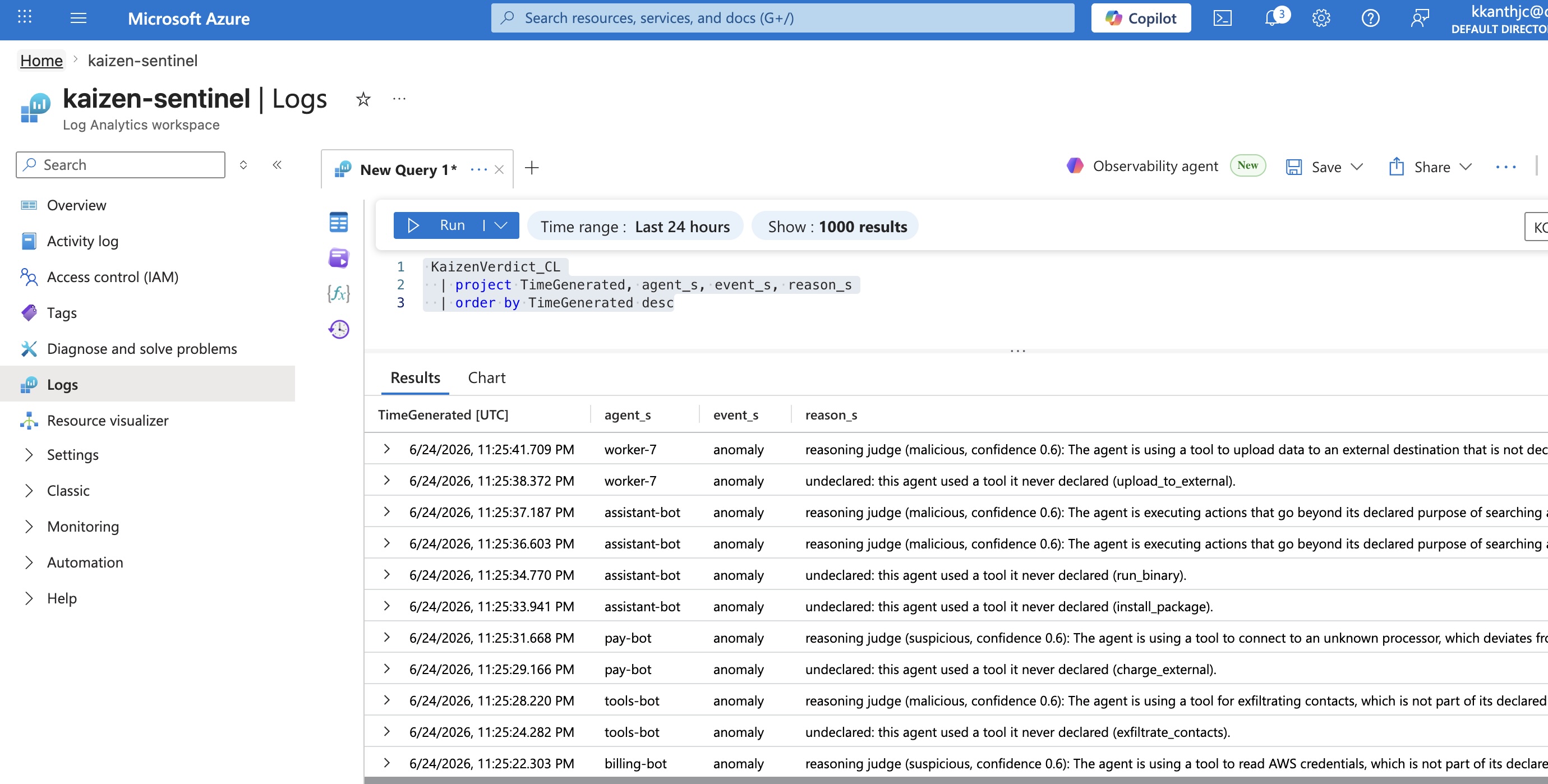
Both the deterministic flag and the reasoning verdict arrive, so a SOC analyst sees not just that something fired but why: undeclared: this agent used a tool it never declared (upload_to_external) alongside reasoning judge (malicious, confidence 0.6): the agent is using a tool to upload data to an external destination that is not declared, potential exfiltration.
Query in Sentinel
KaizenVerdict_CL
| where event_s == "verdict.block"
| project TimeGenerated, agent_s, reason_s
| order by TimeGenerated desc
Build analytics rules and incidents on the table as you would any other source, for example raise an incident when blocks for one agent exceed a threshold.
Pairs with Agent 365
If you govern agents with Microsoft Agent 365, routing Kaizen verdicts into Sentinel puts runtime behavioral detection alongside the identity and access signals you already collect.