Console overview
The console at app.getkaizen.io is where you watch your agents, read verdicts, declare expected behavior, manage keys, and configure exports.
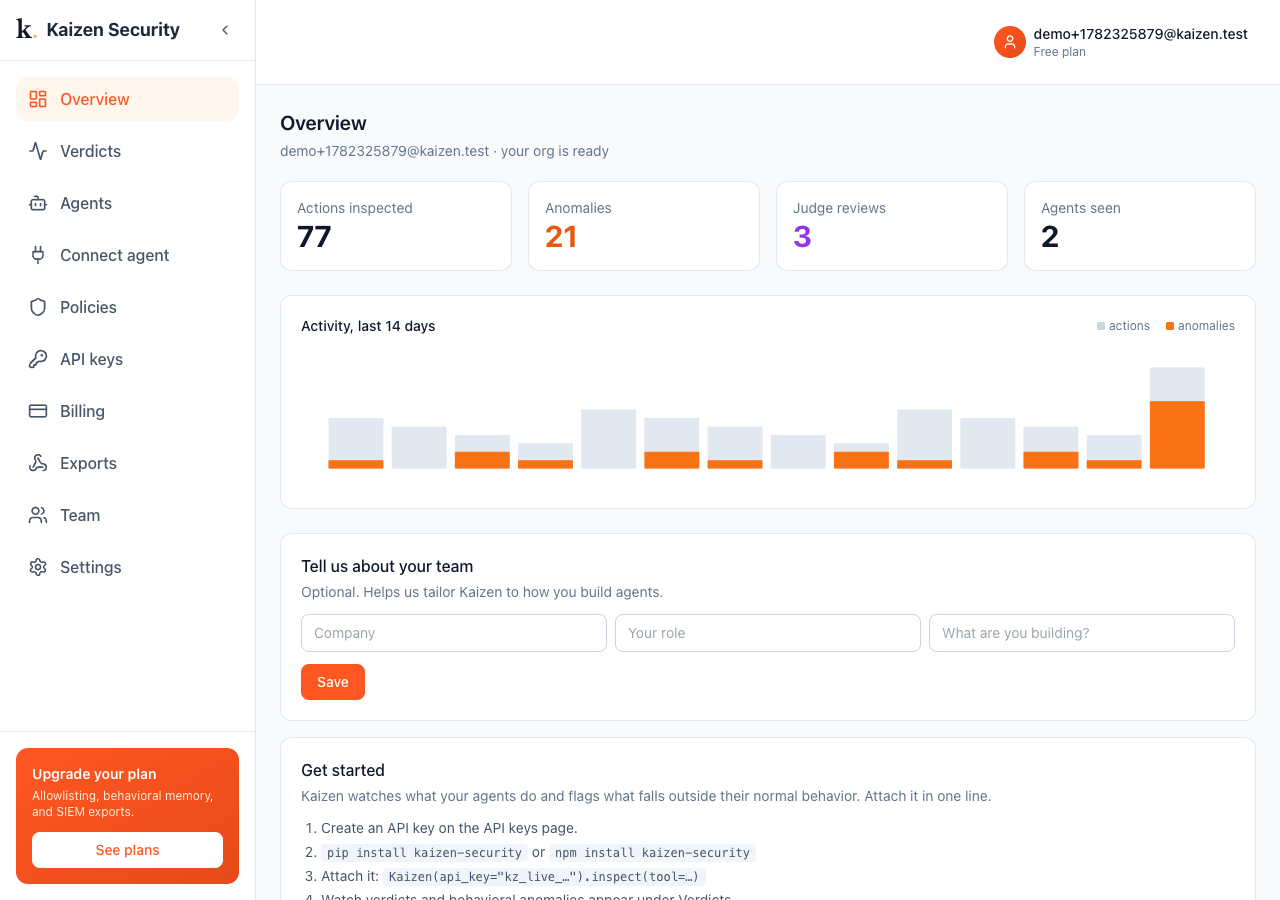
The four metrics
- Actions inspected: the real agent actions Kaizen has observed. Kaizen's own flag records are not counted here, so this reflects real traffic.
- Anomalies: everything Kaizen flagged, a behavioral deviation, an undeclared tool or destination, or a reasoning-check verdict.
- Judge reviews: how many times the Stage-2 reasoning check weighed in.
- Agents seen: distinct agents that have reported in.
Below the metrics, a 14-day chart trends real actions against anomalies, so you can see whether flags are rising or steady.
Navigation
The left sidebar is the whole product:
| Page | What it is |
|---|---|
| Overview | These metrics, the activity trend, and a getting-started checklist |
| Verdicts | The live stream of every decision, with triage |
| Agents | One row per agent, with drill-down, declarations, and controls |
| Connect agent | How you attach: copy-paste setup for each |
| Policies | Org-wide blocklist and allowlist |
| API keys | Create and revoke the keys your agents attach with |
| Billing | Your plan |
| Exports | Push verdicts to Slack, Datadog, Splunk, or any endpoint |
| Team | Invite teammates, set roles, audit log |
| Settings | Org info, the reasoning model and judge controls, sign out |
Tell us about your team
A short, optional profile (company, role, what you are building) appears until you fill it in. It only tailors onboarding and is never required.