Keys, model, and exports
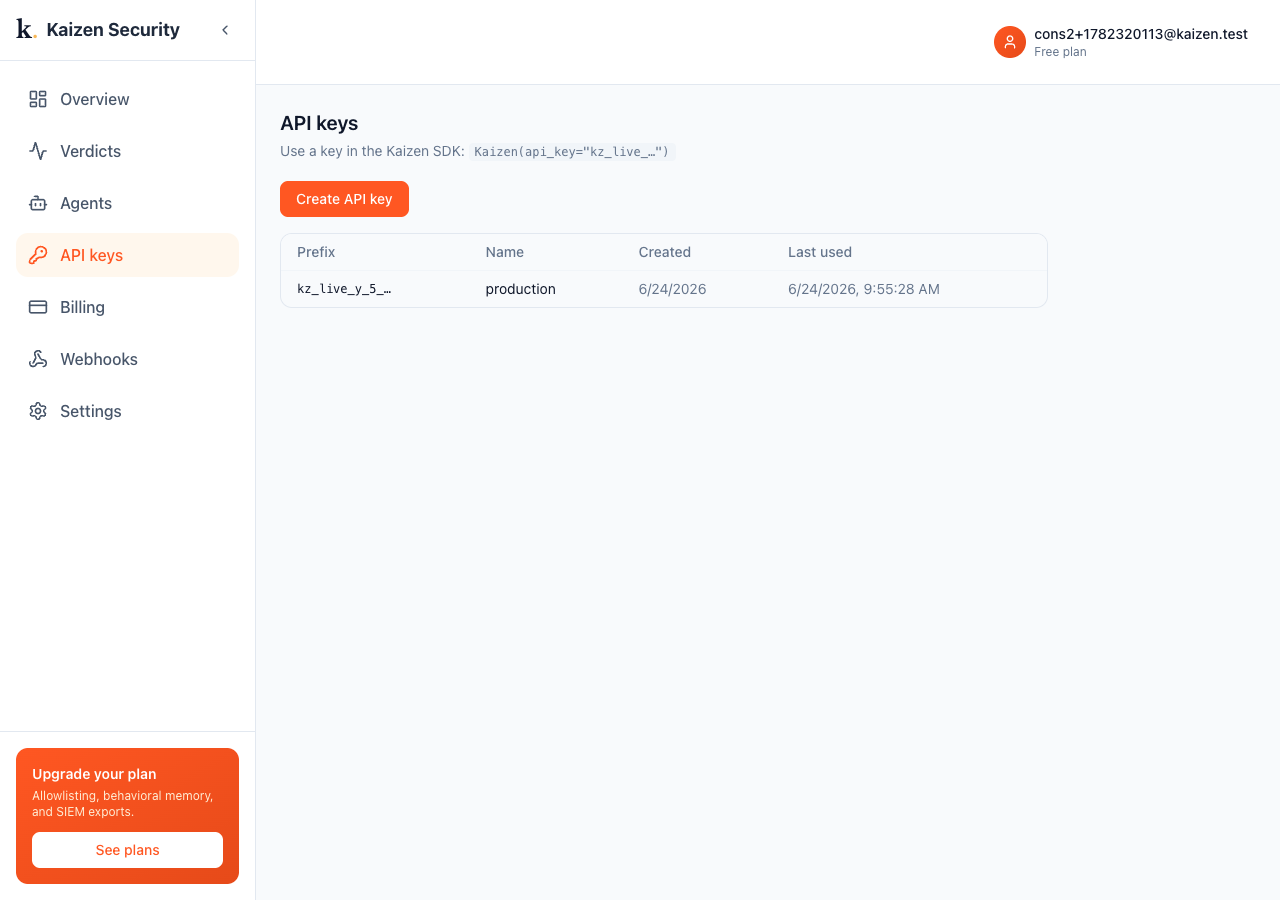
API keys
Under API keys, create a key (it starts with kz_live_) and attach your agent with it. Keep it secret; revoke and rotate from the same page.
Reasoning model (bring your own key)
The Stage-2 reasoning check calls your model with your key. Under Settings, Reasoning model, set the model, base URL, and key (OpenAI for now). The key is encrypted at rest and never returned; once set, the panel shows Configured. Without a key, Kaizen runs Stage 1 alone.
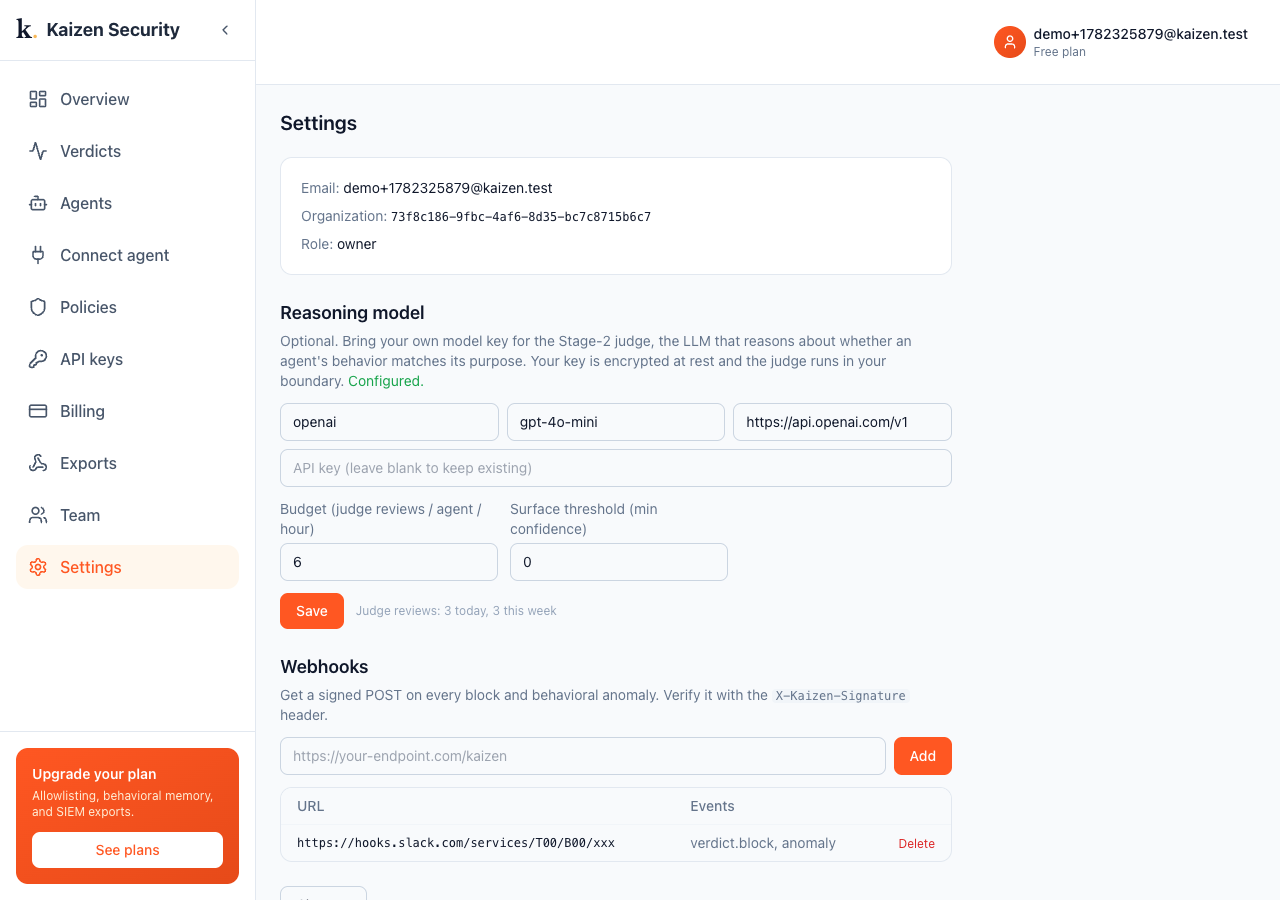
You also tune the judge here: a budget (reviews per agent per hour, so cost cannot run away), a surface threshold (only show verdicts at or above a confidence), and a live count of judge reviews today and this week.
Exports
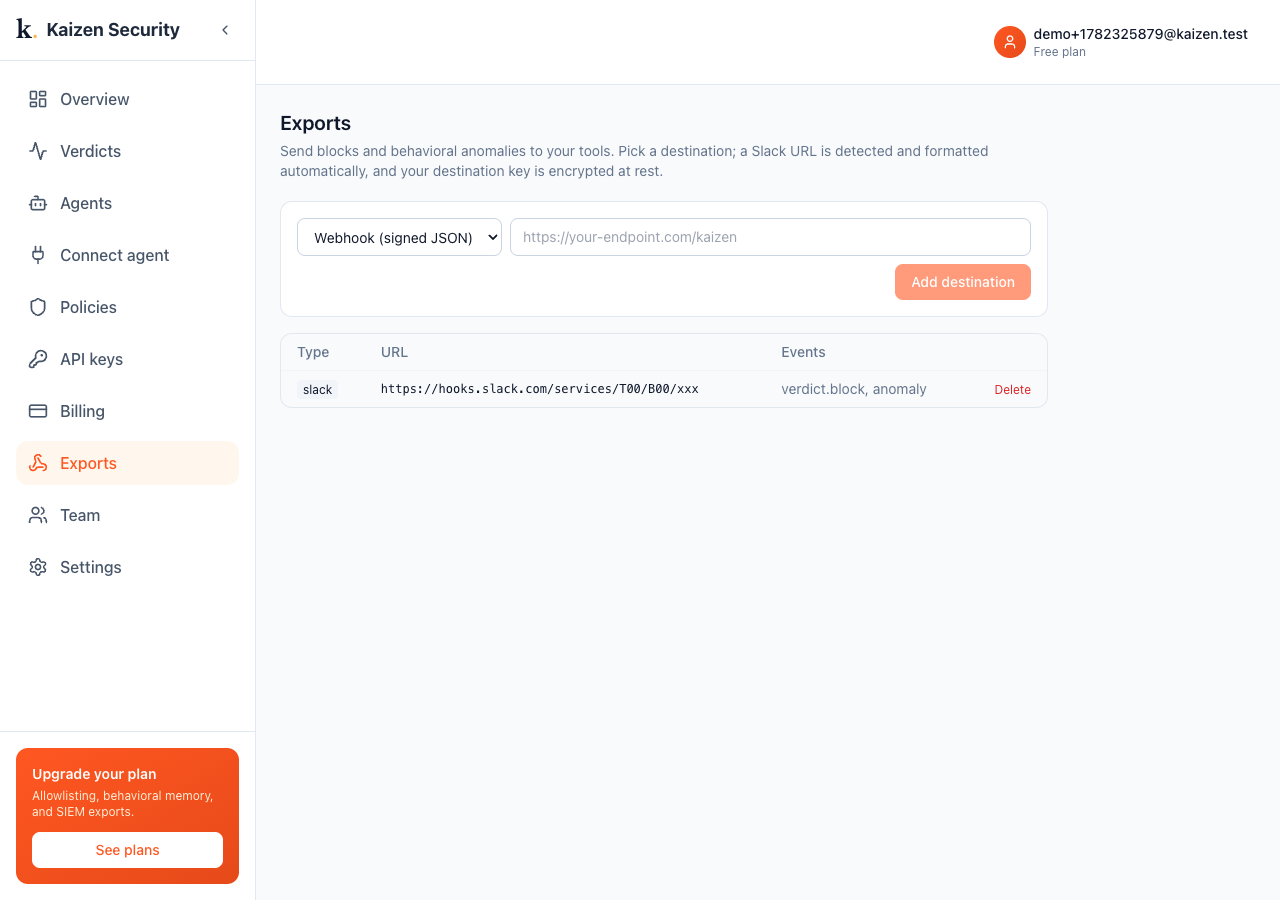
Under Exports, send blocks and anomalies to your tools. Pick a destination type, Webhook (signed JSON), Datadog, Splunk, or PagerDuty, give it a URL and (where needed) a key that is encrypted at rest. A Slack incoming-webhook URL is detected and formatted automatically. Verify signed payloads with the X-Kaizen-Signature header. See exports.
Billing
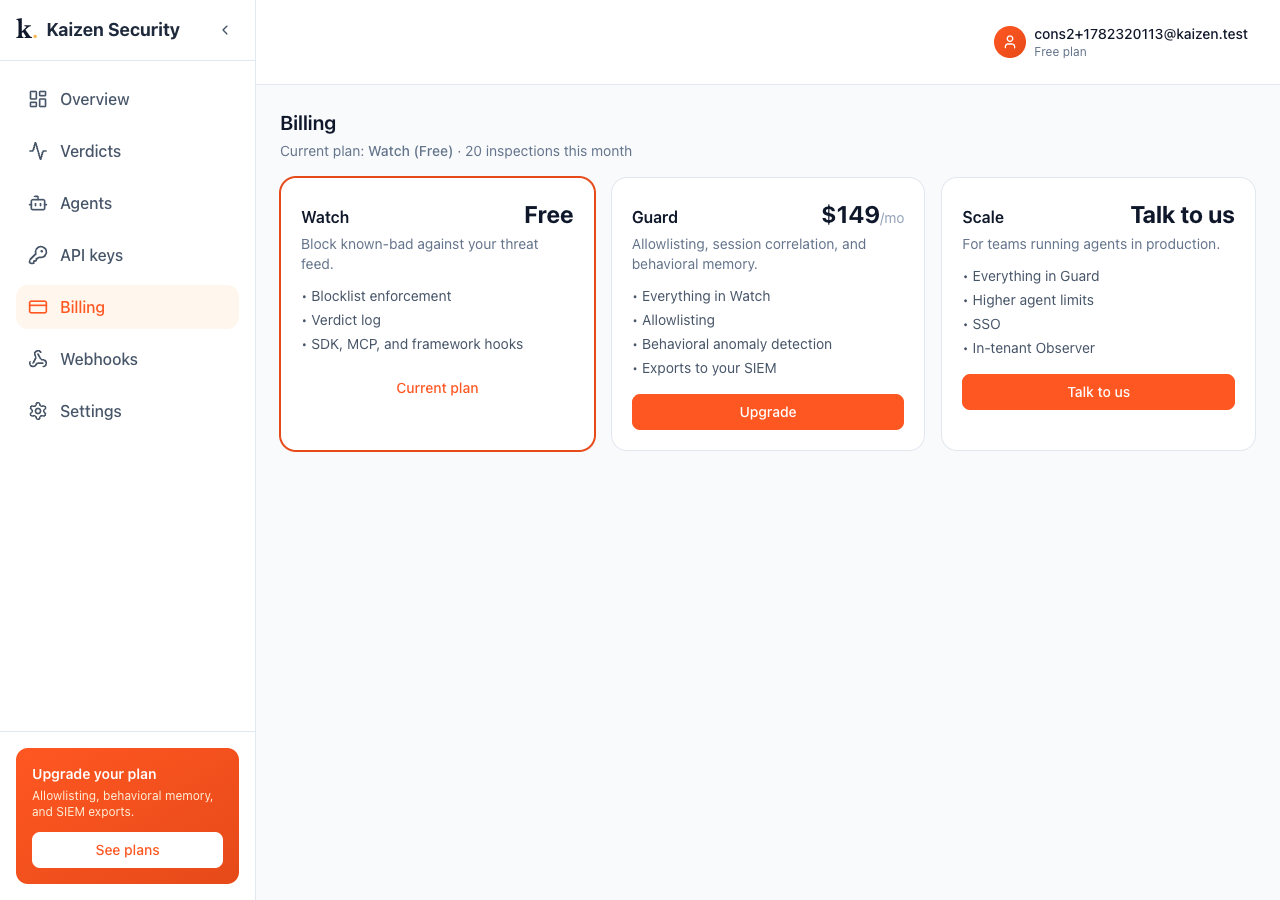
Under Billing, see and change your plan.
Sign out
Sign out from the bottom of Settings.